Draft 1 Digipak:
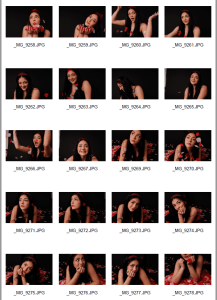
Using InDesign and some borrowed photos from the internet (due to not having done our shoot yet). My partner and I were able to create a rough draft/layout of how we want are completed digipak to look somewhat like. We have included, masthead (name of artist), name of album, positioning of these, positioning of track list, barcode and images similar to ours.
Assessment Criteria:
Print Production Skills:
- Framing a shot
- Using a variety of different shots
- Ensuring that the mise en scene is clearly shown to the audience
- Using conventions of layout and page design
- Clear masthead and typeface
Below is the front page and back page draft 1 of the digipak

Front Page:
The masthead is in a bold font portraying the artist’s name, to grab the target audience’s attention and interest to take action and buy their favourite stars new product, however, the colour of the masthead could be changed to enhance the meaning of the media language presented, for example, red, a symbolic code (Barthes) of love which reflects the star’s characteristics of being a lover girl. The name of the album is also presented but the font and colour could be changed to something different then the masthead to create more engagement from the audience as it gives the digipak a more interesting look. The image reflects what we plan to do with the mis-en-scene in our digipak shoot which we are doing over the next couple of days, to avoid copyright issues. We will use inspiration from the images such as using media language such as camera angles, props, (roses a semic code of love) and costume (a black look to connote the star’s elegant psychographics) and colours which reflect the theme of love such as red and pink. Finally, the positioning of the text on the page is important to allow all aspects to be seen, particularly the image and masthead. This is a basic template including conventional elements of a pop genre digipak front page, but some changes need to be made.

Back Page:
The back page has included the main image, the positioning of the track list and the barcode and copyright information. The image will be changed when our own are taken but we will take inspiration from this, using a unique aspect of a silhouette, specifically of a couple to encode (Hall)the themes of romance and love. However, if this is not obtainable, we will use similar images to the front carrying on the colour scheme of red and pink and the prop of the rose petal, this will ensure total fluidity throughout the digipak. To add, the framing of our shots is especially important because it can offer another level of meaning for the audience to decode, (eg, high angle looking down shows inferiority) and good framing means a great view of the star which the target audience will want to see. To identify our digipak a barcode will be added and to avoid any copyright issues the information is presented on the bottom right-hand side. Finally, the track list will be evenly distributed down the sides of the back page to avoid restricting the view of the image but highlighting the products within the digipak. The back page will need a lot of editing and work to effectively reach the target audience and connote the star image.
What are we going to change:
- Photos – we will change these photos to images of our own
- Colour Scheme – we will change the colour scheme slightly to pink, red and black
- Font – we will also change the font of the masthead and typeface
Focus Forward:
Overall, creating the draft 1 of our digipak has allowed us to create our ideas, turning them into real products for the first time, we can use this task to help us to improve our digipak whilst including all the typical conventions needed.